Never miss your bus or train.
Stratus shows CTA departures adjusted for your travel time, so you only see trains and buses you can actually catch.
Built by a Chicago commuter — bus-first, because most CTA rides aren't on the L.
01 · Live departures
"Can I catch it?"
See the trains and buses you can actually catch.
- ·Sort by which one you'd reach first, or by earliest departure.
- ·Travel-adjusted times — every row shows when it leaves and how long the walk takes, so you don't have to do the math.
- ·Catchability at a glance — the departure time turns orange when you'll need to hustle and red when you've already missed it.
- ·Each row leads with a line-color marker — a chip on rail rows, the route number in a line-colored badge on bus rows.
- ·Filter by line, mode, or direction.
- ·Pull to refresh, or let it auto-refresh every 15 seconds.
02 · Tracking
Premium"What's the status?"
Stratus rides with you to your stop.
From "leaving the building" through "you've reached your destination."
- ·Tap any departure to track it — it stays pinned to the top of your list.
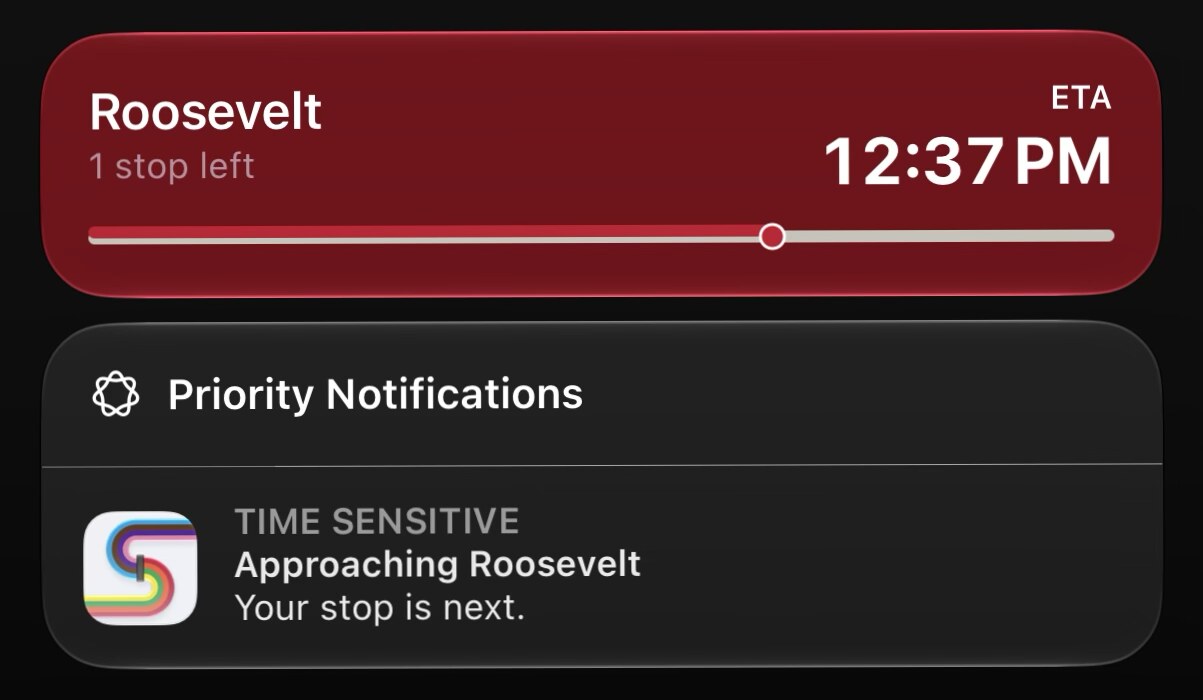
- ·Live Activity on lock screen and Apple Watch, with a countdown in your line's color.
- ·Dynamic Island countdown at the top of your screen.
- ·Departure alarm — set your heads-up threshold and Stratus pings you that many minutes before you need to walk out the door (it does the arrival − walk − buffer math).
- ·Live ride companion — once you board, the countdown switches to "N stops to your station" on rail, or live ETA on bus.
- ·Heads-up notification before you reach your stop.
03 · Alerts
"Heads-up for delays and service interruptions."
Heads-up the moment your line is affected.
- ·Banner on your dashboard for delays, reroutes, and elevator outages on the lines you ride.
- ·Tap through to full alert detail.
- ·Per-alert dismiss — hide one you've seen; it returns if conditions change.
- ·Master toggle in Settings if you don't want the banner at all.
04 · Accessibility
Don't show me a departure where the elevator is out.
Accessibility status updates live — when an elevator goes out, Stratus knows.
- ·Accessible-stations-only filter — show only stations with working elevators.
- ·Live elevator-outage integration — when an elevator goes out, the wheelchair icon disappears from affected rows and the alert surfaces in the banner.
- ·Wheelchair icon on accessible station rows.
- ·VoiceOver coverage on every primary flow — buttons, rows, and toolbars labeled and hinted.
- ·Dynamic Type up to extra-extra-extra-large.
- ·Reduce Transparency and Increase Contrast supported.
- ·Haptics respect Silent Mode and Reduce Motion.
Built honest
How Stratus is built.
- ·No ads — not even one banner.
- ·No account required — no name, email, or password.
- ·Your location stays on your phone — the backend only sees station numbers.
- ·No tracking — anonymous crash and usage telemetry only.
- ·Independently built by a Chicago commuter.
Free + Premium
What's included.
Free includes live CTA departures with travel-adjusted times, filters, tap-to-track any departure, See Stops + Map, real-time alerts, the accessibility filter, and one favorite trip.
Premium ($1.99/month or $19.99/year — 14-day free trial) unlocks Live Activity, Dynamic Island, Apple Watch, departure alarms, the live ride companion, widgets, unlimited favorites, up to 3 Saved Locations, and offline rail schedules.
Free, with optional Premium · iOS 16+ · Chicago / CTA only.